Google is shutting off the old Fitbit connection that Smashrun uses to import your runs. It stops working on Friday, October 30. If you run with a Fitbit or Pixel Watch, you’ll need to reconnect once through Google Health to keep your runs syncing. It only takes a couple of minutes, and everything already on Smashrun (your runs, stats, badges, and settings) stays exactly as it is.
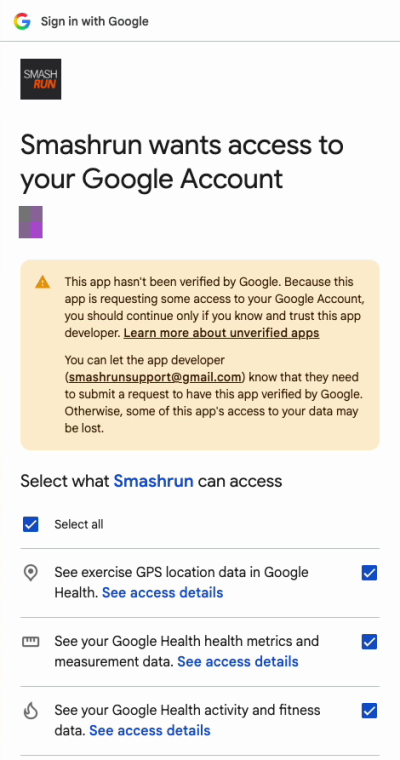
First, an apology. Google makes apps like ours pass a review before it stops showing a “Google hasn’t verified this app” warning. We knew this deadline was coming, and we didn’t submit our review until October 27. That’s on us. Google hasn’t finished yet, so for now you’ll see that warning when you connect. It’s the same screen every app gets while it waits, and here’s how to get past it.
How to reconnect
1. Open the Google Health app on your phone and sign in. If it asks to move your Fitbit account to Google, do that first.
2. On Smashrun, go to Settings > Synced Devices. If Fitbit is connected, click Reconnect with Google in the Fitbit section. Otherwise, open the Google Health section and click Connect with Google. Sign in with the same Google account you use in the Google Health app.
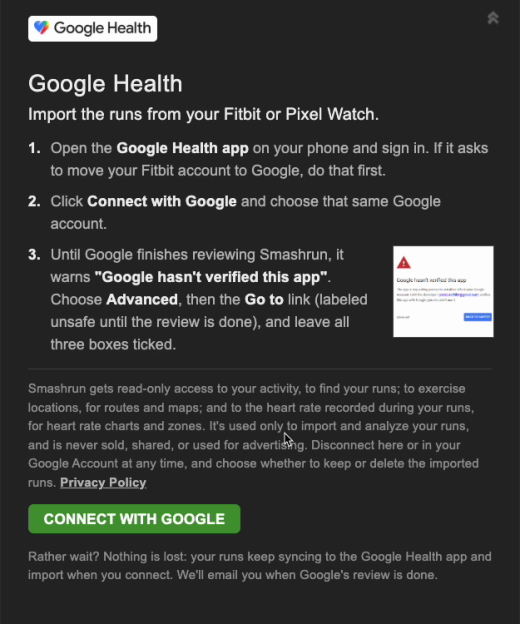
3. Google will show the “Google hasn’t verified this app” warning. Click Advanced at the bottom left, then Go to Smashrun (unsafe). Google labels the link unsafe until its review is done. It’s us.
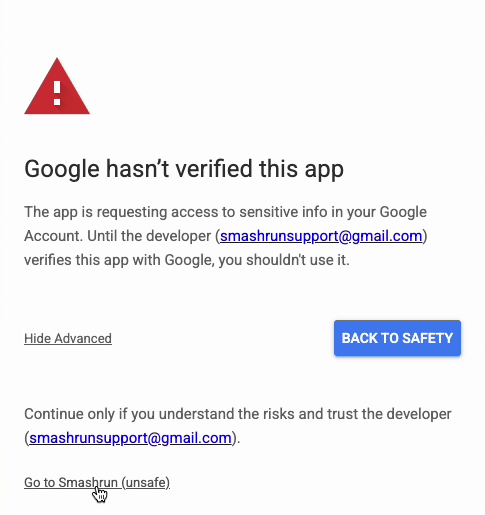
4. Tick all three boxes (Select all does it in one click), then scroll down and click Continue. Smashrun needs all three to import your runs.
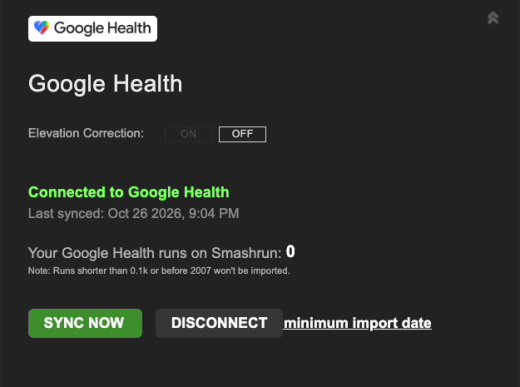
5. You’ll land back on Smashrun with Connected to Google Health. Click Sync now and your runs will start coming in.
Rather wait?
If you’d rather not click past a warning, we get it. Nothing is lost by waiting: your watch keeps syncing to the Google Health app, and those runs import into Smashrun as soon as you connect. Syncing to Smashrun just pauses from October 30 until then. We’ll email Fitbit users when Google’s review is done.
FAQ
Will I lose any runs?
No. Everything already on Smashrun stays put. Runs you record after October 30 wait in the Google Health app and import when you connect. Smashrun picks up where your Fitbit connection left off, so nothing imports twice.
Why can’t you just move my connection over?
Google’s new connection needs your permission again. The old Fitbit permission can’t be carried over, by us or by Google.
What does Smashrun get access to?
Read-only access to three things: your activity, to find your runs; your exercise GPS locations, for routes and maps; and the heart rate recorded during your runs, for heart rate charts and zones. It’s used only to import and analyze your runs, and it’s never sold, shared, or used for advertising.
Google says my account isn’t linked to Google Health.
That usually means you signed in with a different Google account than the one your Fitbit account moved to. Connect again and pick that account. If you haven’t moved your Fitbit account to Google yet, do that in the Google Health app first.
I use a Pixel Watch. Same steps?
Yes. Use Connect with Google in the Google Health section.
How do I disconnect later?
Go to Settings > Synced Devices, open Google Health, and click Disconnect. You can choose to keep the runs you’ve imported or delete them. You can also remove Smashrun from your Google Account at any time.
Something went wrong.
Email us at hi@smashrun.com and we’ll sort it out.